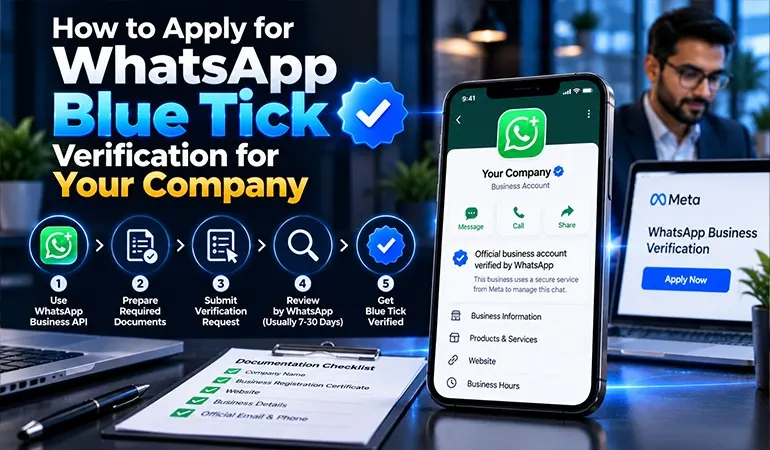
When customers receive a WhatsApp message from a business, they want to know whether they are speaking to the right company. This matters even more when the message contains a payment reminder, an order update, a service offer, or an important business announcement.
WhatsApp Blue Tick Verification can help businesses establish an authentic identity and build customer confidence. For companies that use WhatsApp to communicate with customers, it can also support a more professional brand presence.
National Bulk SMS helps businesses explore customer communication solutions, including WhatsApp Business messaging. Understanding the verification process is an important first step for companies planning to use WhatsApp for sales, marketing and customer support.
What Is WhatsApp API Blue Tick Verification?
WhatsApp Blue Tick Verification is a verified badge associated with an eligible business account. It helps customers recognise an authentic business identity on WhatsApp.
The term "blue tick" is widely used by businesses and marketers. However, WhatsApp offers different verification arrangements, including Meta Verified subscriptions and Official Business Account status. These are distinct offerings with different eligibility requirements.
A verified badge may help customers identify a business, but it does not guarantee that every message from that business is safe or that the company will provide a good service.
Why Do Companies Want a WhatsApp Blue Tick?
Businesses seek verification for several reasons:
Brand credibility: A verified identity can help customers recognise the business.
Customer confidence: People may feel more comfortable interacting with an authenticated account.
Brand protection: Certain verification offerings include protection against impersonation.
Professional communication: A verified profile can support a consistent business identity.
Customer engagement: Businesses can use WhatsApp to handle enquiries, share updates and support customer relationships.
The badge itself does not guarantee more sales. Its value depends on the company's reputation, customer service, messaging quality and communication practices.
Understand the Two WhatsApp Verification Options
Before applying, it is important to identify which verification route fits your business.
1. Meta Verified for Business
Meta Verified is a paid subscription available to eligible businesses in supported markets. Depending on the plan and availability, benefits may include a verified badge, account support, impersonation protection and additional business features.
Businesses using the WhatsApp Business app can check whether this option is available in their account.
To check availability, open the WhatsApp Business app and look under Settings or Business Tools for the Meta Verified option. If it does not appear, the feature may not be available to your account at that time.
2. Official Business Account Verification
An Official Business Account (OBA) is a separate status associated with an authentic and notable brand on the WhatsApp Business Platform.
Businesses seeking OBA status generally need an eligible WhatsApp Business Platform account, approved display name, verified business portfolio, enabled two-step verification and evidence that the brand is well known.
Meeting the basic requirements does not guarantee approval. Meta makes the final decision based on its eligibility criteria and assessment.
You can review the current requirements in the official WhatsApp Help Center and Meta Verified for Business guidance.
Requirements for WhatsApp Blue Tick Verification
Before submitting an application, prepare your business account and review the requirements for the verification option you intend to use.
1. Complete Your Business Information
Make sure your company details are accurate and consistent across your WhatsApp profile, website and official business records.
Prepare the following information where applicable:
- Registered business name and contact details.
- Business website and professional email address.
- Company logo and a suitable profile image.
- Accurate business description and category.
- Supporting business registration documents, if requested.
For Meta Verified, the business name and profile information must meet the applicable verification requirements. Changes made after subscribing may require another review.
2. Verify Your Business on Meta
For the Official Business Account route, business verification is an important eligibility requirement. Access your Meta Business Portfolio and check the Business Verification section for available steps.
Submit the documents requested by Meta and ensure the information matches your official records.
3. Set Up WhatsApp Business Platform
Official Business Account applications generally require a number connected to the WhatsApp Business Platform. Your display name must be approved and two-step verification should be enabled.
Keep the account active, follow WhatsApp's messaging policies and maintain good messaging quality.
4. Build a Credible Online Presence
For Official Business Account status, Meta considers whether a brand is notable and frequently searched for. A registered company does not automatically qualify.
Strengthen your online presence through:
- A professional, regularly maintained website.
- Independent news coverage and genuine industry mentions.
- Consistent company details across trusted platforms.
- Useful content that demonstrates your expertise.
- A clear and recognisable brand identity.
Avoid buying fake press coverage or publishing misleading claims about your company.
Step-by-Step Process to Apply for WhatsApp Blue Tick
Method 1: Apply Through the WhatsApp Business App
If Meta Verified is available to your business, follow these steps:
- Open the WhatsApp Business app.
- Go to Settings or Business Tools.
- Look for the Meta Verified option.
- Select an available subscription plan.
- Review the eligibility conditions and subscription details.
- Submit the requested business information.
- Complete any identity or business verification steps.
- Wait for Meta to review your application and notify you.
Availability, subscription plans and features may vary by account and location. Check the official Meta Verified help page before proceeding.
Method 2: Apply for Official Business Account Status
If your company uses the WhatsApp Business Platform, the application process is different.
- Open Meta Business Suite or Business Manager.
- Select the business portfolio connected to your WhatsApp account.
- Open WhatsApp Manager.
- Select the eligible phone number.
- Find the Official Business Account request option, if available.
- Provide the requested details and supporting information.
- Submit the application and monitor the status through the relevant business dashboard or support channel.
The exact menu names can change. If the request option is unavailable, check your eligibility or contact your WhatsApp solution provider or Meta Support.
Common Reasons Why WhatsApp Blue Tick Applications are Rejected
A rejection does not necessarily mean that your company can never become verified. Review the applicable requirements before trying again.
Common problems include:
Inconsistent business names across documents and profiles.
Incomplete or inaccurate business information.
An unapproved WhatsApp display name.
Missing business verification or security requirements.
Insufficient evidence of brand notability for OBA status.
Violations of WhatsApp Business Messaging Policy.
For Official Business Account applications, you may need to wait before submitting another request. Follow the waiting period communicated by Meta and use the time to improve your supporting information.
How National Bulk SMS Can Help With WhatsApp Business Communication
National Bulk SMS provides business messaging solutions that can help organisations plan customer communication more effectively. Companies considering WhatsApp Business messaging should first identify their needs, whether they involve customer support, order updates, promotional campaigns, or automated notifications.
Before choosing a service, discuss the following requirements with National Bulk SMS:
- WhatsApp Business Platform setup and integration options.
- Customer enquiry and support workflows.
- Approved message templates and campaign management.
- Contact consent and messaging compliance.
- Delivery reporting and communication performance.
- Available support for the verification process.
Verification decisions remain with Meta. No service provider can guarantee a badge or promise approval simply because a company has purchased a messaging solution.
Practical Use Cases of WhatsApp Blue Tick Verification
Use Case 1: E-commerce Business
An online retailer receives customer questions about product availability, order status and returns. A properly configured WhatsApp business account gives customers a familiar channel for these enquiries.
Verification may help customers recognise the retailer's identity, while automated updates and responsive support make the experience more convenient.
Use Case 2: Education and Training Institute
A training institute uses WhatsApp to answer questions about courses, fees, admissions and class schedules. A consistent business profile helps prospective students identify the correct account.
The institute can combine WhatsApp communication with its website, enquiry forms and admissions team to manage leads more effectively.
Case Studies of WhatsApp Business Verification
Case Study 1: A Growing Retail Brand
Challenge: A growing retailer wants to establish a consistent identity across customer communication channels.
Approach: The company reviews its business documents, updates its WhatsApp profile, strengthens its website and evaluates the appropriate Meta verification option.
Expected benefit: A clearer business identity and a more organised process for customer communication.
The business should measure customer enquiries, response times and conversions rather than assuming that verification alone will increase sales.
Case Study 2: A Digital Marketing Training Company
Challenge: A training company receives enquiries through advertisements, its website and WhatsApp. Prospective students sometimes struggle to identify the official contact account.
Approach: The company standardises its business details, improves its online presence, reviews its eligibility and applies through the appropriate Meta process.
Expected benefit: Better brand consistency and a more recognisable customer communication channel.
This is an illustrative scenario. Actual verification outcomes depend on Meta's review and the company's eligibility.
FAQs About WhatsApp Blue Tick Verification
Meta Verified is a paid subscription. Official Business Account status follows a separate process, so check the applicable requirements.
Yes, if it meets the eligibility conditions for an available verification option.
No. Meta Verified may be available through the WhatsApp Business app, while Official Business Account status generally requires the WhatsApp Business Platform.
The review time depends on the verification route and Meta's assessment. Check the status and updates provided in your account.
No. Meta makes the final verification decision. National Bulk SMS can help businesses explore messaging solutions and prepare for the process.


